Lara and Lee Anderson gave me the chance last Saturday to do a newborn photo shoot with their 3 week old baby girl, Anah. What a beautiful angel. She came with a full head of hair and I’m curious to see if it stays so thick and dark. Thanks Lee and Lara for taking the time to help me out as I learn about photography! Here are some of my favorites from the photo shoot.
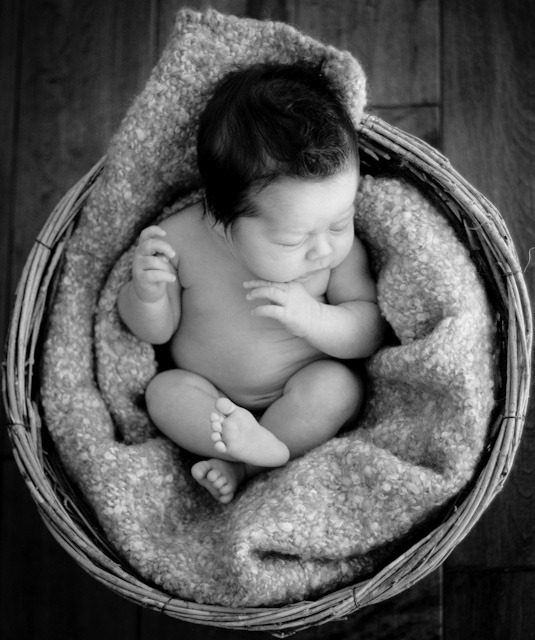 f/1.8 1/250 ISO 200
Canon EOS 7D with ‘EF 50mm f/1.8 II’ – Cropped
 f/1.8 1/400 ISO 200
Canon EOS 7D with ‘EF 50mm f/1.8 II’ – Cropped
 f/1.8 1/100 ISO 200
Canon EOS 7D with ‘EF 50mm f/1.8 II’ – Cropped
Behind the scenes, here is what I learned from the session:
I need to talk with the model(s) about how long the photo shoot is going to take when we set up the appointment. I didn’t do this with Lara. So, I was ready with a lot more props and ideas than we had time for during this shoot. We kept this session down to about an hour with a feeding break in there. Typically, Leah takes 2-3 hours for a newborn session. I just need to remember it for the next portrait session I do (this weekend!).
Anah was very alert and wide eyed for our session. I missed the prime age for getting good sleepy baby pictures. Leah told me the best time was at about 1 week old. I was able to get some closed eyes photos, but they were usually blinks. Soothing Anah by rubbing her brow helped a bit, but she usually opened her eyes fairly quickly. I was also trying to get her hands up near her face, but she was very alert and would often pull them back. A sleepy baby makes it much easier to mold them and pose them how you want.
This was my first solo infant photo shoot. I stumbled along a bit at first until we took a break so that Anah could eat. Christi gave me a pep talk and reminded me that I needed to take the bull by the horns and act like I knew what I was doing even if I didn’t. Great advice! My enneagram type 9 personality isn’t used to directly taking charge. But it’s a lot of fun when I do so and my confidence increases. I took a couple of minutes to regroup while baby was eating and by time they got back I had a plan and list of props and poses to use. I felt much more confident the rest of the session with a plan. Writing out a pose list will be a must for future photo shoot. At least until I can do it in my sleep.
Time wise, I think it’s about on par with the Mortensen’s family portraits I did the weekend before (15-20 hours). Several of those hours where used getting and setting up props and backgrounds where the Mortensen’s portraits where outside. Some of this time could be cut out if I had my own equipment and studio. It was close to the same amount of time editing though. Just a whole new set of editing skills to learn.
Instead of swapping heads, I was removing loose skin and swapping/closing eyes. Cross eyed baby pictures are so cute, but most people don’t want that hanging on their walls. Replacing eyes is tricky! In my case I didn’t have a good eye to replace it with. So I used the other eye from the same shot. How did I do? I scaled it proportionally and tried to move the catch lights a bit to where I thought they would be on that eye. Now that I’ve pointed it may be obvious? But can you tell in the three pictures below which eye I replaced because it was cross eyed?
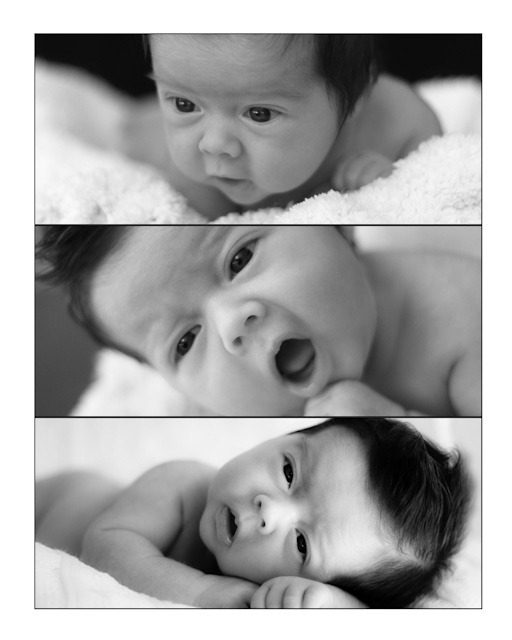 All three - f/1.8 1/200 ISO 200
Canon EOS 7D with ‘EF 50mm f/1.8 II’ – Cropped
If you couldn’t tell… great! I did it well. If you could tell, please let me know what tipped you off so I can improve. :) It’s her right eye (picture left) in the middle picture.
The other big Photoshop learning experience I took away was in regards to the black background in the photos of Anah and Lara. I wanted to burn (darken) the background to pure black. The black background I had hanging up showed wrinkles and lint. When I went to burn the background I could use the auto-mask tool which would try to stick to just the black areas. But then it ended up having somewhat pixelated transitions. I solved this by taking off the auto-mask and going back over the seams by hand to smooth them out. It worked fine, but after talking to Leah, it sounds like there are much easier ways to just select shadows, mid-tones, and lights in Photoshop. I’ll have to try that to generate my selection areas next time. I also ended up using a heavy vignette to hide some of the harsh transitions on Lara’s and Anah’s hair from the burning. Here is the before with the wrinkly/lint filled background (hard to tell on this small picture) and after once I burned the background and added the vignette.
 f/5.6 1/80 ISO 800
Canon EOS 7D with ‘EF-S 18-55mm f/3.5-5.6L IS’ at 23mm FL – Cropped
 f/5.6 1/80 ISO 800
Canon EOS 7D with ‘EF-S 18-55mm f/3.5-5.6L IS’ at 23mm FL – Cropped
I learned a lot from this shoot and edits. Thanks again Andersons! Keep up the great work!

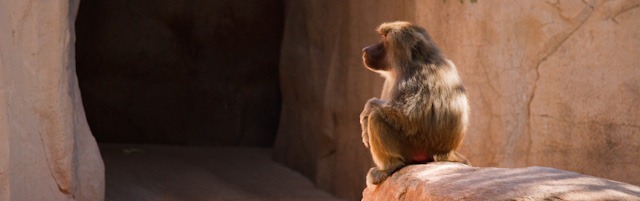


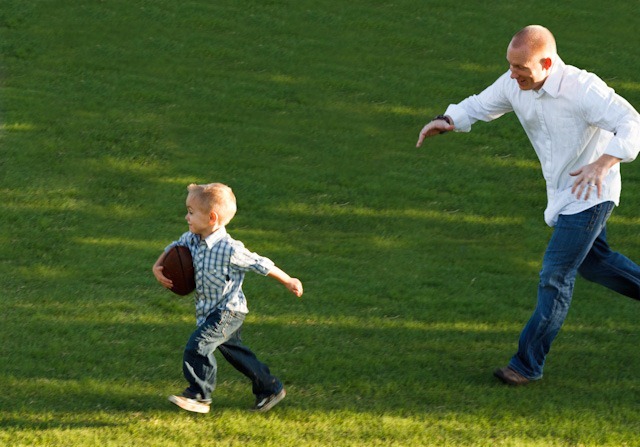
 f/1.8 1/400 ISO 200